NPU vs. cloud: where will AI process your data?
Copilot+ PCs demand dedicated AI hardware in the device. At the same time, agents such as Windows 365 for Agents are moving entirely into the cloud. Two movements in opposite directions — and in the middle the question every workplace strategy has to answer: does the hardware follow the architecture, or does it dictate it?
CPU, GPU, NPU — three compute engines, three jobs
Before we can talk strategy, it has to be clear what is actually being decided. All three building blocks compute — but they compute in fundamentally different ways, and that is exactly where their purposes come from.
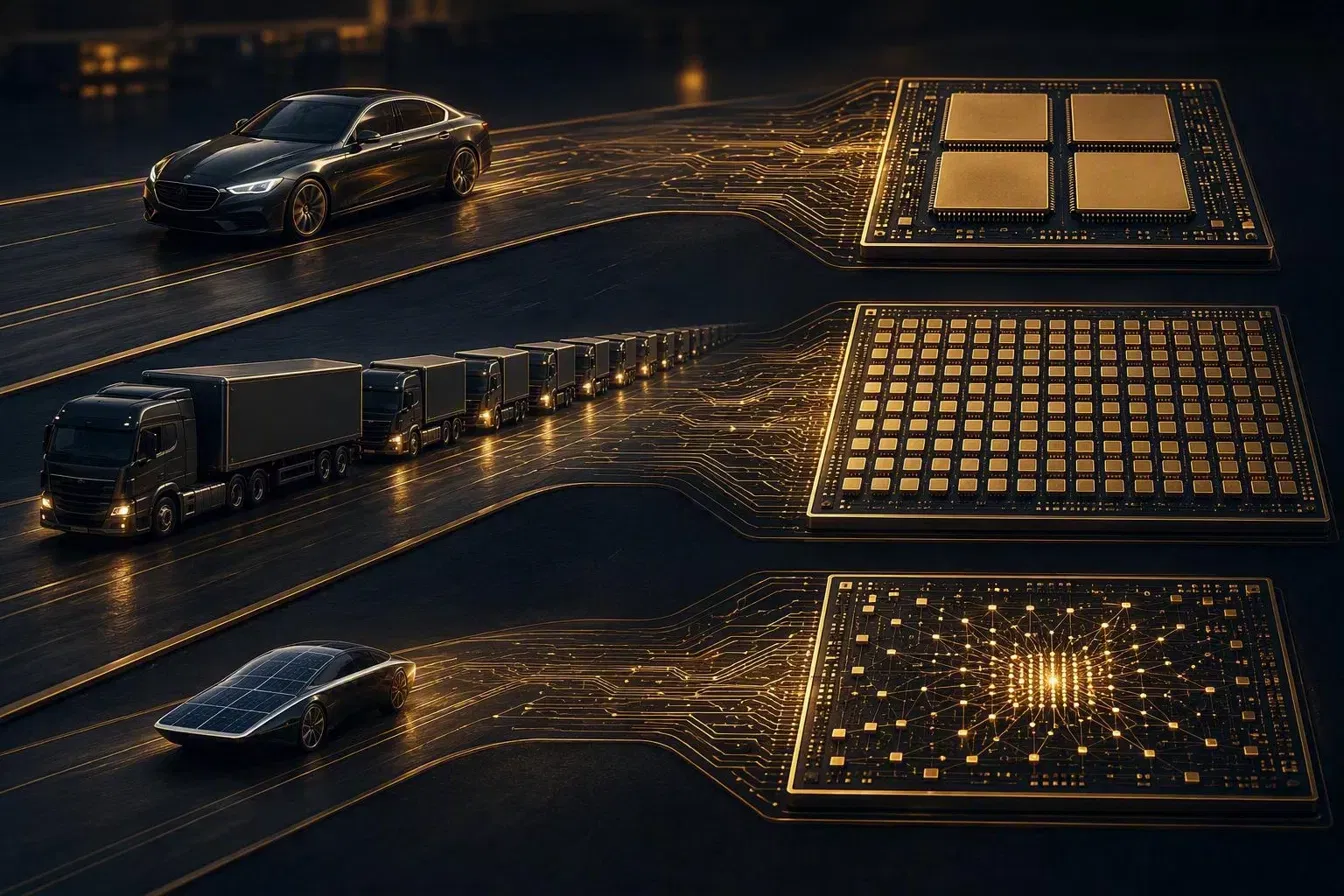
The pictureThree vehicle classes, three compute engines
Before the detail, here is the picture: each vehicle class stands for a way of computing — and each one leads to a different chip.
CPU — the generalist
The CPU has few but very capable cores, optimised for sequential logic: operating system, application code, database queries, branching, input and output. It can do everything — just none of it massively in parallel. Typical representatives on the client: Intel Core Ultra, AMD Ryzen, Qualcomm Snapdragon X; in the data centre: Intel Xeon, AMD EPYC, Azure Cobalt (ARM).
GPU — the parallel engine
The GPU brings thousands of simple cores that run the same operation on huge amounts of data at once. Originally built for graphics, this exact pattern — matrix multiplication at great width — is the basis for training and inference of large language models. That is why LLMs such as GPT, Claude or the models in Azure AI Foundry run on GPU clusters (NVIDIA H100/B200, AMD Instinct) in the data centre, not on a laptop.
NPU — the specialist for AI inference
The NPU (neural processing unit) is a hard-wired compute unit built exclusively for neural networks — measured in TOPS (trillions of operations per second). It cannot run an operating system and cannot render a 3D scene. What it can do is execute small, quantised AI models at a fraction of a GPU’s energy consumption. Microsoft’s Copilot+ specification sets the bar at a minimum of 40 TOPS — met by every current platform: Qualcomm Snapdragon X2 Elite at 80 TOPS, AMD Ryzen AI 400 „Gorgon Point“ at up to 60 TOPS and Intel Core Ultra Series 3 „Panther Lake“ at up to 50 TOPS, which replaced Lunar Lake as the mainstream base in January 2026. The previous generation — Snapdragon X at around 45, Lunar Lake at around 48, Ryzen AI 300 at around 50 TOPS — clears the bar as well. All figures are vendor numbers counted in different ways: Intel explicitly states INT8, Qualcomm names no precision. On top of that run local features such as Windows Recall, Click to Do, live translation, studio effects and small language models (SLMs) like Phi Silica.
The decisive insight: NPU and cloud GPU are not competitors — they serve different classes of model. A 40 TOPS NPU runs small language models with a few billion parameters. The frontier models behind Copilot, Claude or ChatGPT are orders of magnitude larger and will stay in the data centre for the foreseeable future. So the question is not „NPU or cloud“, but: which workload runs where — and who pays for the hardware?
The TOGAF question: does every machine need the hardware again?
With Copilot+, a familiar temptation is back on the table: the new capability sits in the device — so let us swap the devices. This is exactly the point at which it pays to look at what TOGAF consistently demands in the ADM cycle: technology architecture (phase D) comes last. First come business architecture (phase B) and information systems architecture (phase C) — that is, the questions: which capability does the organisation need? Which applications and data deliver it? And only then: which technology does it run on?
Anyone who reverses that order and starts with the hardware buys an answer before the question has been formulated. And every IT department knows this pattern — it is already the third wave in which an operating system change sets the terms for the hardware:
- XP → Windows 7: the jump simply demanded more — more memory in the new DDR generation, 64-bit capable platforms. Whoever did not upgrade the fleet was left behind.
- Windows 7 → Windows 10/11: Windows 11 at the latest drew a hard security line with TPM 2.0 and Secure Boot — perfectly functional devices dropped out of support because they lacked a chip.
- Today: the Copilot key on the keyboard is the visible symbol of the third wave — behind it stands the NPU as the new entry criterion (Copilot+, 40+ TOPS).
Twice the forced change was barely negotiable on security or platform grounds. The third time, it is worth asking whether the capability really has to sit in every chassis again — or whether the architecture has a more elegant answer this time.
- Capability instead of feature: „employees can work with AI support“ is the capability. Whether it is met by a local NPU, a Cloud PC or a browser front end is a solution building block decision — not something to settle up front.
- Do the gap analysis honestly: which personas actually use NPU features such as local inference, offline AI or privacy-critical processing? For many roles the honest answer is: hardly any — their AI load sits in M365 Copilot, Claude or Azure AI, which is to say in the cloud.
- Decouple the life cycles: devices live four to five years, AI requirements currently change every quarter. An architecture that couples both cycles tightly is building its own next investment backlog.
That does not mean NPUs are unnecessary. It means they belong where the capability analysis puts them — with personas that genuinely need local inference, offline capability or on-device data protection. For everyone else there is a second path, and it is becoming very concrete right now.
When agents work alongside you, the load profile changes
The debate about AI hardware is often conducted as though it were still about a chatbot in a browser tab. Reality in organisations looks different in 2026: AI increasingly works in parallel with the person — as an agent that works through tasks on its own while the person is doing something else.
Concrete examples from everyday work: with Claude Cowork, Anthropic’s desktop app for agentic knowledge work, users delegate whole packages of work — research, document analysis, file handling — to an agent that processes them in the background. ChatGPT offers a comparable pattern with its agent mode, Microsoft Copilot brings agents into the M365 stack through Copilot Studio and Agent 365, and on Azure AI Foundry organisations build their own agents for their business processes. Four ecosystems, one shared effect on IT:
- Parallelism: one employee no longer generates one session’s load but two or three — their own work plus running agent tasks.
- Volatility: agent workloads come in bursts. An hour of document analysis at full load, then hours of almost nothing. Classic client sizing („one profile for everyone“) does not fit that pattern.
- Shifting requirements: today the agent mainly needs storage and I/O (file work), tomorrow compute (analysis), the day after a GPU (image and video processing). The performance requirement is no longer a constant but a curve.
- Governance: agents need identity, policies and isolation just like human users — Entra ID, Intune and Conditional Access become agent infrastructure.
A device is unbeatable in exactly one dimension: it is where the person is. In every other dimension — scaling elastically, absorbing peaks, differentiating profiles per role, isolating agents — permanently installed hardware is the least flexible answer IT can give.
One machine for everything — or decouple?
That brings us to the real strategic fork. There are two answers to the new AI load:
Path A — everything in one device: procure Copilot+ hardware across the board and hope that the NPU class bought today carries the AI requirements of the next four to five years. Every new class of requirement that exceeds the installed hardware triggers the next refresh — for the entire fleet, regardless of who actually needs the performance.
Path B — decouple person and compute: every person gets a lean device as an access point (notebook, thin client or a purpose-built device such as Windows 365 Link) plus a virtual machine — a Cloud PC or an AVD desktop. Alternatively, for external staff on personal devices for instance, two virtual machines: one for daily work, one as an isolated environment for agents or special loads. The decisive difference: when a new AI requirement arrives tomorrow, the hardware underneath the virtual machine is adjusted — by resizing in the portal instead of by a procurement project. From 4 vCPU to 8, from standard to GPU-accelerated sizing, from a classic Cloud PC to an AI-enabled Cloud PC — without a single device leaving anyone’s desk.
Path B is not an argument against devices — there will still be personas for whom a Copilot+ device is the right answer: developers running local inference, field staff without reliable connectivity, privacy scenarios with on-device processing. The point is a different one: the default answer for the breadth of the organisation should be the flexible one, not the hard-wired one. That is exactly what total cost of ownership looks like across the life cycle — not the device price on procurement day.
Navigation instead of retrofitting: the picture behind the vision
If you know the nautical chart metaphor from the article of the same name in this series, you can place the NPU question on it precisely. The currents on the chart are the forces you do not control but do have to read — and right now two of them pull in opposite directions:
- The coastal current „on-device“: chip makers and Microsoft are pushing AI out across the device estate — Copilot+, NPUs, local SLMs. It promises near-zero latency and data that never leaves the machine.
- The open-sea current „cloud & agents“: the large models, the agent platforms and the elastic compute sit in the data centre — and grow there faster than any device fleet could be retrofitted.
A ship that tries to run both currents at once with a single, heavily laden hull will be fast in neither. The seamanlike answer is a different one: a nimble boat for the coast — the device — and access to the big ship on the open sea — the virtual machine. The shallows on this route are well known: hardware investments that bet on a single model generation. Lock-in to one load profile. And fleet refreshes whose justification is already out of date at rollout. The lighthouse that sets the course is the same one as in the nautical chart article: build decisions so that they stay reversible.
What this means for virtual desktops — and what agentic AI makes of it
The most interesting development of the year is that the virtual desktop itself is changing role: from a workplace for people to an execution environment for people and agents. Three building blocks show where this is going:
1 · AI-enabled Cloud PCs: Windows 365 brings Copilot+-style features — improved Windows search, Click to Do — into the Cloud PC. The „NPU“ then no longer sits in the device on the desk but in the Azure infrastructure underneath. The device in front of it can be a five-year-old laptop or a Windows 365 Link — the AI capability still arrives.
2 · Windows 365 for Agents: generally available since Build 2026, AI agents receive their own Cloud PCs within Agent 365 — Microsoft’s control plane for enterprise agents — full, isolated Windows (or Linux) environments in which they open applications, process files and run multi-step workflows, including in legacy systems without APIs. Governed with the same tools as human users: Entra ID, Intune, policies. The Cloud PC thereby becomes a „persona“ for software.
3 · Agents inside your own Cloud PC: in parallel, assistants such as Microsoft Scout are emerging, Microsoft’s first „autopilot“ agent — as of September 2026 an experimental preview in the Frontier programme, not yet generally available. The direction is clear nonetheless: commissioned by Teams chat from a phone, the agent carries on working in the personal Cloud PC or desktop — find a file, summarise it, prepare an email draft — even with the laptop lid closed. The virtual desktop keeps running even when no person is sitting in front of it — and that is precisely what devices cannot do by design.
The same logic applies to AVD with a different degree of control: anyone running host pools can assign GPU-accelerated sizings specifically to the personas that need them, isolate agent workloads in their own pools and let capacity follow the actual curve through autoscaling — instead of imposing the most expensive common denominator on the whole fleet.
The conclusion in four sentences
NPU vs. cloud is the wrong rivalry.
First: NPU and cloud GPU serve different classes of model — small local inference here, frontier models and agents there. The question is workload placement, not which camp you belong to.
Second: by TOGAF logic, a blanket NPU rollout is a phase D decision that may only be taken after an honest capability and gap analysis — not before it.
Third: agentic work with Claude Cowork, ChatGPT, Copilot and Azure AI makes load profiles parallel, volatile and changeable — the opposite of what permanently installed hardware is good for.
Fourth: the most robust answer for the breadth of the organisation is decoupling: a lean device plus a virtual machine (or two) — and when new AI requirements arrive, the hardware underneath is adjusted rather than bought anew.
How this placement decision translates into concrete numbers is the subject of the TCO analysis in this series. And if you want to compare the six DaaS platforms in detail, the DaaS Maps set out more than 270 features side by side.