Virtual desktops reach full maturity only through the whole ecosystem
Why a virtual desktop project rarely fails because of the desktop technology — and almost always because it is treated as an isolated endpoint project rather than as an ecosystem.
The order is no accident
„AVD, Windows 365 or Citrix?“ is usually the wrong first question. The choice of technology matters — but it is only one of seven layers that together decide whether a digital workplace project reaches full maturity or stalls half way.
The illustration below sums up the basic idea: desktops sit at the centre — but everything around them decides between success and frustration in daily operation.
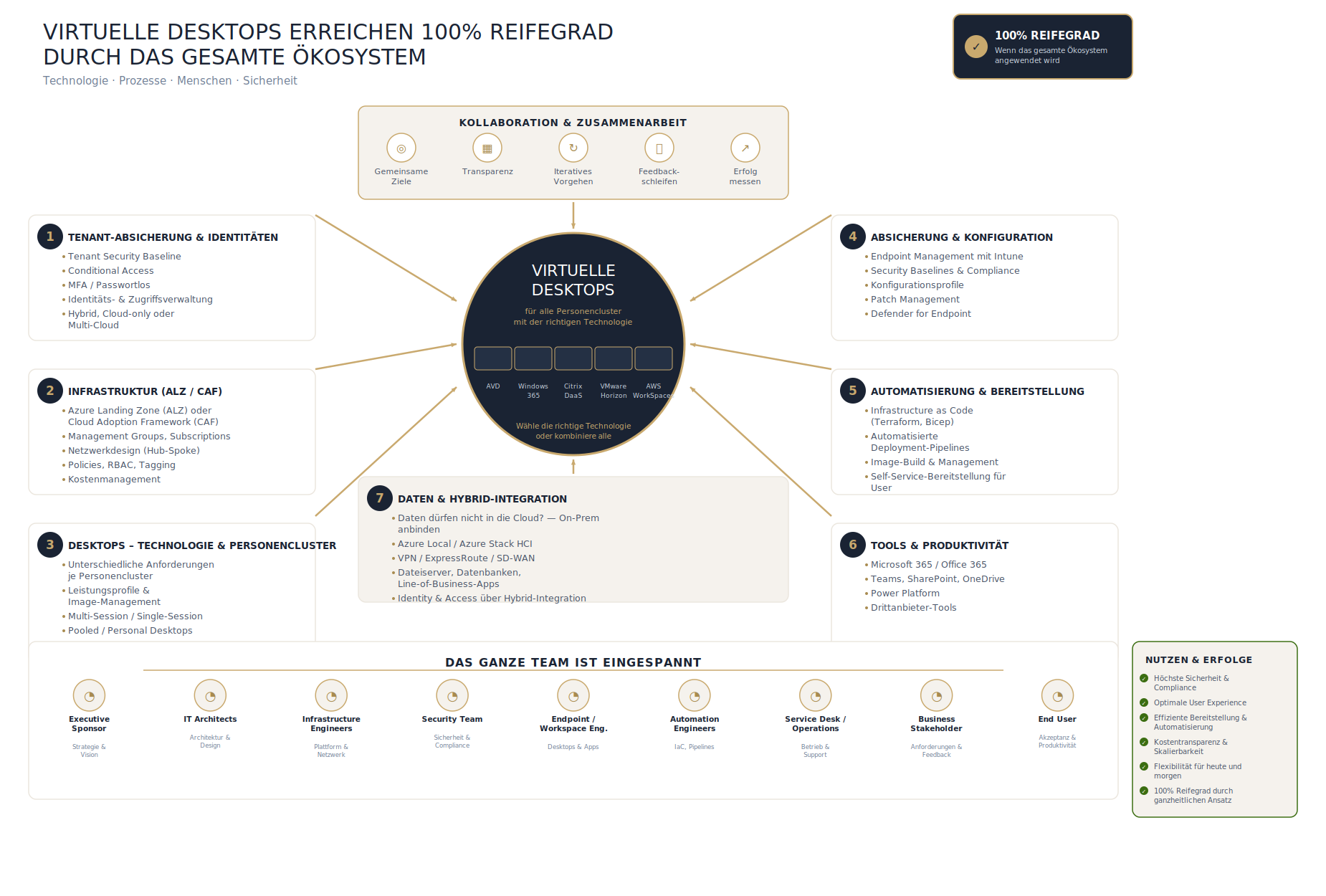
Illustration: own graphic, created with AI assistance
You do not start with the desktops. You start with identity:
- Tenant protection & identities — the foundation. Hybrid, cloud-only or multi-cloud determines how everything else is built.
- Infrastructure (ALZ/CAF) — landing zone, network design and governance, before the first desktop even exists.
- Desktops — technology & persona clusters — only now does the technology question arrive, and then differentiated by user group rather than applied uniformly to everyone.
- Protection & configuration — Intune, compliance, Defender for Endpoint.
- Automation & provisioning — infrastructure as code for administrators, plus a self-service portal through which users can request resources themselves instead of raising a ticket for every step.
- Tools & productivity — Microsoft 365, Teams, SharePoint, Power Platform.
- Data & hybrid integration — where data may not go to the cloud: on-premises connectivity, Azure Local, VPN or ExpressRoute.
Each layer builds on the one before. Start at step three because „the technology decision is urgent“ and you are building on a foundation that is not yet there.
Why this is not a purely IT project
The part most often missing from project plans: a virtual desktop project runs through practically every team in the organisation — identity, infrastructure, security, endpoint, automation, the service desk, and not least the users themselves, whose acceptance ultimately decides between success and rejection.
The technical reference architecture
For anyone who needs it more concrete: the same structure, but with the actual Azure components per layer — from Entra ID and Conditional Access through the ALZ building blocks to Terraform pipelines and Azure Local.
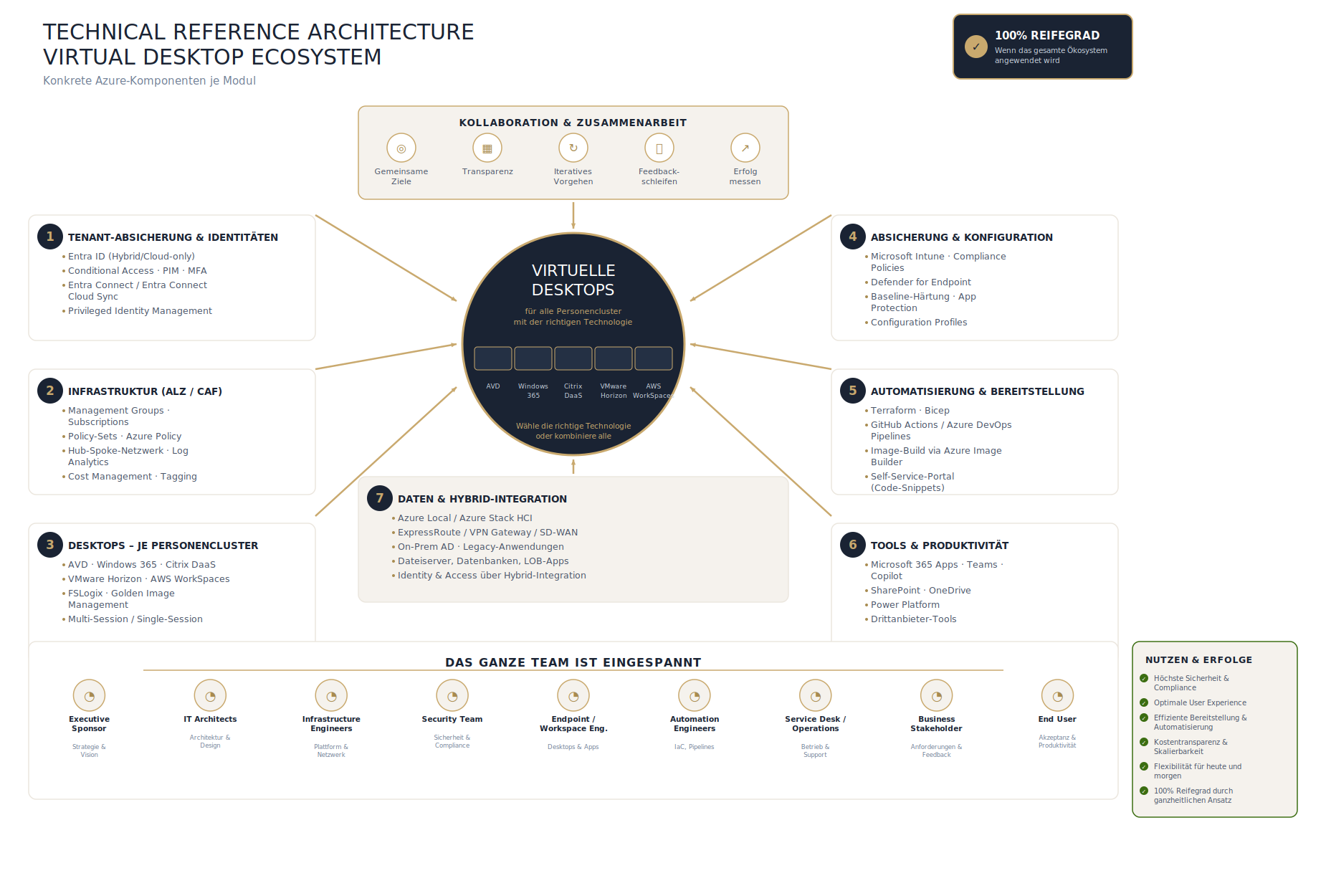
Illustration: own graphic, created with AI assistance
What comes next
For management or client presentations, an executive version in the high-level format — as shown above — is often the right way in. For technical discussion with architects and engineers, the technical reference architecture version with its specific Azure components is the better fit. The two perspectives complement each other: one explains the why, the other the how.
As at August 2026